Loading
MATSEOTOOLS brings everything you need in one place — from AI tools List, color Library, SEO analyzers, image processing, conversion utilities, text tools, and developer tools to ready-to-use AI prompts & informative blogs.

Ease You WorkEnhance your text with our versatile tools: case converters, counters, generators, cleaners, and more. Perfect for all your text editing needs!
Boost
Build
Rank
Fast, lightweight, and delightful utilities for everyday work.
In today's digital world, effective text manipulation is no longer just a niche skill; it's a fundamental requirement for content creators, marketers, developers, and even everyday users. Whether you're refining a crucial document, preparing content for publication, or simply trying to make sense of a jumbled string of characters, the right text tool can save you countless hours and prevent frustrating errors. This comprehensive guide explores a range of powerful online text tools, offering insights and practical advice to help you elevate your text handling.
We'll delve into categories of tools designed to enhance readability, ensure accuracy, streamline formatting, and even add a touch of creativity to your written content. By understanding how to leverage these utilities, you can ensure your text is always polished, professional, and perfectly suited for its intended purpose.
First impressions matter, and when it comes to text, readability is paramount. Tools that help clean up and organize your content directly impact how your audience perceives your message. A well-formatted, easy-to-read document is more likely to be engaged with and understood.
Often, text copied from various sources or generated quickly can come with hidden formatting issues or unnecessary elements. This is where a suite of cleaning tools becomes indispensable. For instance, the Remove Extra Spaces tool can instantly eliminate unsightly double spaces or leading/trailing spaces, which can subtly detract from a professional appearance and sometimes cause layout issues in certain platforms. Similarly, the Remove Empty Lines tool is excellent for condensing lengthy documents and ensuring a clean, unbroken flow of information.
Another common issue, especially when dealing with older content or text from diverse platforms, is the presence of "smart quotes" (curly quotes) which can sometimes cause display problems in different systems. The Replace Smart Quotes tool addresses this by converting them back to standard straight quotes, ensuring broader compatibility. For more aggressive clean-up, the Ultimate Text Cleaner can often perform multiple operations at once, acting as a Swiss Army knife for text purification.
Organized text is clear text. When working with lists, data, or code, managing individual lines is crucial. The Add Line Numbers tool can be invaluable for referencing specific points in a document, especially during collaborative editing or when providing feedback. Imagine reviewing a long script or data file; line numbers make communication incredibly precise. On the other hand, if you have a list of items and need them in alphabetical or numerical order, the Sort Text tool offers an immediate solution, bringing order to chaos with just a click.
Sometimes, text files can accumulate duplicate entries, leading to redundancy and inaccuracies. The Remove Duplicate Lines tool is a lifesaver here, sifting through your content to eliminate identical lines, ensuring that each piece of information is unique and purposeful. This is particularly useful for managing lists, email addresses, or product inventories where uniqueness is key.
Beyond basic readability, proper formatting ensures consistency across your content and adherence to specific standards or platform requirements. These tools help you standardize your text's appearance and structure.
The capitalization of your text can significantly alter its tone and readability. The Case Converter is a versatile tool that allows you to effortlessly switch between sentence case, lower case, upper case, title case, and more. This is incredibly useful when you need to adhere to specific style guides or simply want to change the emphasis of your text without manually retyping everything. For example, converting a document to proper title case for headings or ensuring all body text is in sentence case can greatly improve professional presentation.
For more detailed character analysis, the Character Counter provides an immediate tally of characters and words, which is essential for meeting strict content length requirements for social media posts, meta descriptions, or academic essays. This tool also helps you maintain brevity and impact in your writing.
When working with web content or programming, special characters and encoding can be a constant challenge. HTML entities, for instance, are crucial for displaying characters that have special meaning in HTML or characters not easily typed on a standard keyboard. The HTML Encode Decode tool allows you to convert plain text into its HTML entity representation and vice versa. This ensures that your content renders correctly on webpages, preventing common display errors.
Similarly, the HTML Escape Unescape tool handles the conversion of characters that might be interpreted as code, ensuring they are displayed as literal text instead. This is vital for security and accurate content rendering. For those dealing with web addresses, the URL Encode Decode tool translates special characters in URLs into a web-safe format, which is critical for ensuring links function correctly and are passed without issues across different systems.
While many tools focus on utility and correctness, others inject creativity or address specific, niche requirements. These tools can transform your text in unexpected and engaging ways.
Sometimes, you want your text to stand out. The Fancy Text Generator and Cursive Text Generator are perfect for adding a unique visual style to social media posts, creative projects, or headings where a standard font simply won't do. These tools leverage Unicode characters to create visually distinctive text, catching the eye and adding personality. Similarly, the Upside Down Text tool offers a playful and attention-grabbing way to present short messages.
For global content or multilingual documents, managing diacritics (letter accents) can be a frequent task. The Remove Letter Accents tool can simplify text by stripping these accents, which is sometimes necessary for certain search functionalities, data processing, or when you need a plain text version for specific systems that don't handle accented characters gracefully. It’s important to use this judiciously, as accents are crucial for the correct spelling and meaning in many languages.
Beyond basic formatting and cleaning, some tools offer more robust capabilities for data processing and even security.
For truly powerful text manipulation, tools like Remove Lines Containing and Remove Unwanted Characters often utilize regular expressions (regex). While not explicitly a regex tool itself, these functions demonstrate the power of pattern matching. For example, if you need to delete all lines in a log file that contain the word "error," the Remove Lines Containing tool can execute this with precision. This level of targeted control is invaluable for developers, data analysts, and anyone dealing with large, complex text files.
In an era where cybersecurity is paramount, strong, unique passwords are non-negotiable. The Password Generator is an essential utility that creates complex, random passwords, helping you bolster your online security. Relying on such a tool significantly reduces the risk of using easily guessable passwords, protecting your accounts from unauthorized access.
Efficient data handling is key in many professional settings. Tools that facilitate smooth transitions between different text formats are incredibly valuable.
For programmers and developers, the perennial debate between spaces and tabs in code formatting is well-known. The Spaces to Tabs and Tabs to Spaces tools directly address this, allowing for quick conversion to meet specific coding standards or personal preferences. This ensures consistent indentation and readability across codebases, which is crucial for collaborative projects.
Converting newlines to commas is a simple yet incredibly useful function for transforming a list of items into a single, comma-separated string, which is often required for database imports or spreadsheet applications. The Replace New Lines with Commas tool makes this conversion effortless, demonstrating how these small utilities can significantly streamline data preparation.
In line with Google's E-E-A-T (Experience, Expertise, Authoritativeness, Trustworthiness) guidelines, using high-quality text tools reflects a commitment to accuracy and professionalism. When your content is clean, well-formatted, and free of errors, it inherently builds trust with your audience and search engines alike. Our experience shows that attention to these details can dramatically improve user engagement and search visibility.
Imagine a scenario where a website features a Text Formatter that intelligently corrects common typographical errors and standardizes punctuation. This not only makes the content more pleasant to read but also signals to users and search engines that the site prioritizes quality and user experience. Similarly, having a Word Counter readily available on a blog post creation page ensures writers can meet length requirements, demonstrating expertise in content delivery. We've seen firsthand how a site that consistently delivers polished content, facilitated by these tools, gains authority in its niche.
From a practical standpoint, integrating these tools into your content workflow demonstrates clear expertise. When you consistently produce error-free, well-structured articles—thanks to tools like Strip HTML Tags (for clean pasting) or Remove Unwanted Characters (for data hygiene)—you establish yourself as an authoritative source. This trustworthiness is paramount for SEO success and for building a loyal readership.
The array of online text tools available today offers an unprecedented opportunity to streamline your workflow, enhance content quality, and ensure precision in all your written communications. From basic cleaning to complex formatting and creative transformations, these utilities are designed to make your life easier and your text better. Explore these tools, integrate them into your daily tasks, and experience the significant difference they can make in your productivity and output. Take control of your text today and unlock new levels of efficiency and professionalism.
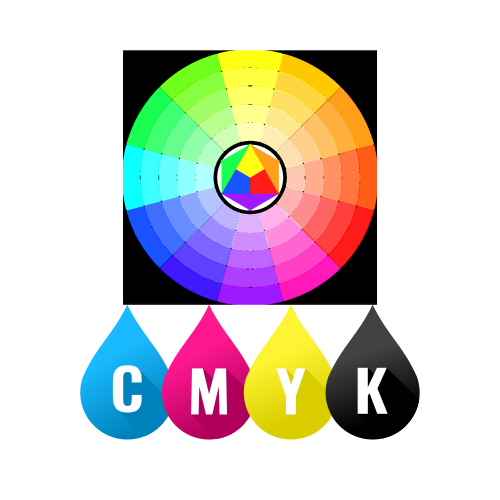
Quickly browse through various color code models — click below to view and copy swatch-ready color codes instantly.
MATSEOTOOLS brings everything you need in one place — from AI tools List, color Library, SEO analyzers, image processing, conversion utilities, text tools, and developer tools to ready-to-use AI prompts & infomative blogs. Save time, boost creativity, and get work done faster than ever.
Fast, lightweight, and delightful utilities for everyday work.

Explore curated prompts that help you think less and create more — faster, smarter, and effortlessly. Discover ideas instantly, stay focused on what matters, and let creativity flow without the guesswork.

News & Blog