Loading
MATSEOTOOLS brings everything you need in one place — from AI tools List, color Library, SEO analyzers, image processing, conversion utilities, text tools, and developer tools to ready-to-use AI prompts & informative blogs.

Ease You WorkOptimize your images with our comprehensive suite of tools! Compress, convert, resize, crop, and more. Perfect for all your image needs.
Boost
Build
Rank
Fast, lightweight, and delightful utilities for everyday work.

In today's visually driven world, high-quality images are no longer a luxury but a necessity. Whether you're a seasoned web developer, a marketing professional, or an aspiring digital artist, having the right image tools at your fingertips can significantly enhance your workflow and the impact of your visual content. This comprehensive guide explores a range of indispensable image manipulation and conversion tools, offering insights into their practical applications and best practices.
One of the most critical aspects of web performance is image optimization. Large image files can drastically slow down your website, leading to poor user experience and lower search engine rankings. This is where robust compression tools become invaluable.
For general optimization, an Image Compressor (General) can reduce file sizes without noticeable quality loss. If you're working with animated visuals, a GIF Image Compressor is essential to maintain smooth animations while minimizing bandwidth usage. For those with specific file size targets, the Image Compressor (KB Target) allows you to dictate the exact output size, ensuring your images fit perfectly within any given constraint. Remember, while compressing, always preview your images to strike the right balance between quality and file size. A common pitfall is over-compressing, which can lead to pixelation and a degraded visual experience.
The digital landscape is home to a multitude of image formats, each with its strengths and ideal use cases. Converting between these formats is a frequent requirement, and having reliable converters is crucial.
The versatile Image Converter serves as your go-to for general format changes. For modern web formats, the WEBP Converter / Generator and AVIF Converter / Generator are vital for creating next-generation images that offer superior compression and quality. Legacy formats like TIFF also have their place, and a TIFF Converter / Generator can handle those specific needs. Furthermore, for popular web formats, you'll often find a PNG Converter / Generator and a JPEG Converter / Generator to be daily essentials. These tools empower you to adapt your images for any platform or purpose, ensuring compatibility and optimal display.
Beyond compression and conversion, fundamental image transformations are often necessary to fit your visual content perfectly into various layouts and designs.
The Image Resizer allows you to adjust the dimensions of your images, which is critical for responsive web design or preparing images for print. An Image Cropper provides the ability to focus on specific elements within an image, removing distracting backgrounds or irrelevant areas. This is particularly useful for creating compelling thumbnails or hero images. The Image Rotator, while seemingly simple, is indispensable for correcting orientation issues or achieving specific visual effects. Mastering these tools ensures your images are not only optimized but also aesthetically aligned with your overall design vision.
For more specialized tasks, a suite of advanced image tools offers powerful capabilities to enhance, protect, and extract information from your images.
To protect your intellectual property, an Image Watermark Tool allows you to add custom watermarks, preventing unauthorized use. For those looking to understand the intricacies of an image, the Image Metadata Viewer provides access to crucial information like camera settings, date taken, and copyright details. When dealing with web pages, the Download Images from Site URL or Image Download From Site tools are incredibly useful for efficiently gathering visual assets. For developers, the Image Lazy Loader Generator can significantly improve page load times by implementing lazy loading for images, a key SEO factor. Furthermore, handling base64 encoded images is streamlined with the Base64 to Image Converter and Image to Base64 Converter, facilitating various development tasks. The HTML to Image Converter is particularly helpful for turning web content directly into visual assets.
Beyond standard image formats, tools for working with PDFs and creating favicons are also essential components of a comprehensive digital toolkit.
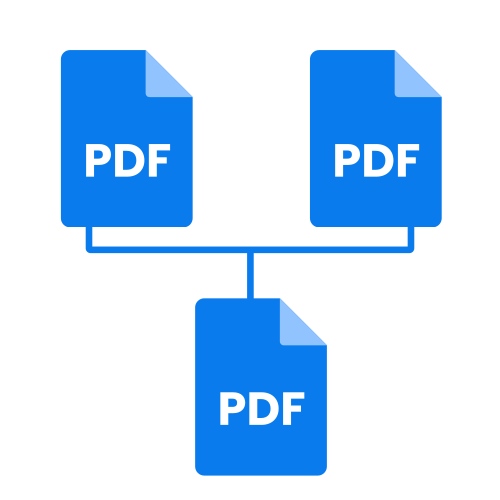
The Image to PDF Converter allows you to compile multiple images into a single, easily shareable PDF document, perfect for presentations or portfolios. Conversely, the PDF to Image Converter extracts individual images from a PDF, giving you flexibility in how you use that content. Finally, for branding purposes, a Favicon Generator and an ICO Converter / Generator are crucial for creating the small, iconic images that represent your website in browser tabs and bookmarks. These small details contribute significantly to a professional and cohesive online presence.
Utilizing these image tools effectively requires a strategic approach. Always consider the end goal of your image. Is it for a high-resolution print, a fast-loading web page, or a social media post? Each scenario demands a different optimization strategy. Experiment with various compression settings, understand the nuances of different file formats, and leverage conversion tools to ensure maximum compatibility.
Regularly auditing your website for image performance is a recommended practice. Tools like the Image Compressor (General) should be a staple in your workflow. For developers, integrating an Image Lazy Loader Generator can lead to dramatic improvements in user experience, especially on image-heavy sites. Remember, the goal is not just to make images look good, but to make them perform optimally across all devices and platforms.
The array of image tools available today empowers you to create, optimize, and manage your visual content with unparalleled efficiency. By understanding the purpose and application of each tool, from the basic Image Cropper to the advanced Image Metadata Viewer, you can elevate your digital projects and deliver stunning, high-performing visuals. Dive in and explore these resources to truly unlock your full creative and technical potential.
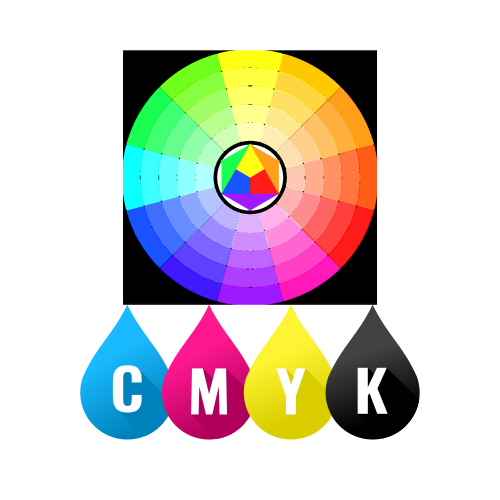
Quickly browse through various color code models — click below to view and copy swatch-ready color codes instantly.
MATSEOTOOLS brings everything you need in one place — from AI tools List, color Library, SEO analyzers, image processing, conversion utilities, text tools, and developer tools to ready-to-use AI prompts & infomative blogs. Save time, boost creativity, and get work done faster than ever.
Fast, lightweight, and delightful utilities for everyday work.

Explore curated prompts that help you think less and create more — faster, smarter, and effortlessly. Discover ideas instantly, stay focused on what matters, and let creativity flow without the guesswork.

News & Blog