Loading
MATSEOTOOLS brings everything you need in one place — from AI tools List, color Library, SEO analyzers, image processing, conversion utilities, text tools, and developer tools to ready-to-use AI prompts & informative blogs.

Ease You WorkConvert CSV, HTML, Excel, SQL, JSON, and more to various formats. Explore our comprehensive suite of data conversion tools for all your needs.
Boost
Build
Rank
Fast, lightweight, and delightful utilities for everyday work.
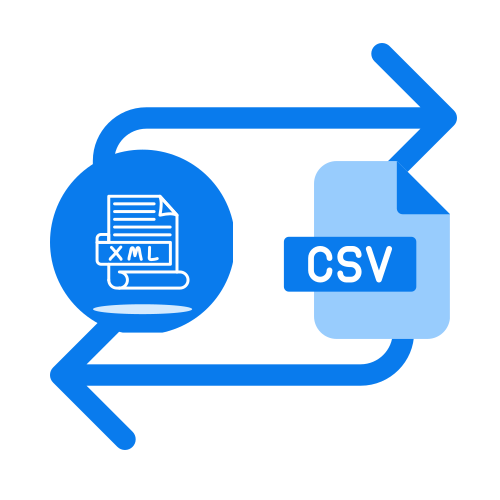
In today's data-driven world, the ability to seamlessly convert and manage data across various formats is not just a convenience, it's a necessity. Comma Separated Values (CSV) files are a ubiquitous standard for tabular data, but often, this data needs to be transformed for specific applications, databases, or visualizations. This article delves into a comprehensive suite of CSV conversion tools, offering expert insights to streamline your data workflows.
CSV files are lightweight and human-readable, making them ideal for data exchange. However, their simplicity means they lack the structural richness of other formats. Converting CSV data allows you to leverage the strengths of specialized systems, whether you're integrating with a web application, preparing data for analysis, or generating reports.
Understanding the nuances of different target formats is crucial. For instance, converting CSV to JSON is essential for web APIs, while CSV to SQL is critical for populating relational databases. Each conversion serves a unique purpose, and selecting the right tool for the job can save immense time and prevent data integrity issues.
Let's explore some of the most frequently used CSV conversion types and the scenarios where they excel.
For developers and web professionals, transforming CSV data into web-friendly formats is a daily task. The CSV to JSON tool, for example, is indispensable for creating data payloads for JavaScript applications. Similarly, CSV to HTML is perfect for embedding tabular data directly into web pages, ensuring accessibility and easy display.
When working with backend systems or specific frameworks, you might find yourself needing to convert CSV to ActionScript or CSV to PHP. These conversions cater to specific programming environments, allowing for seamless integration of your CSV data into a broader application architecture. Understanding the target language's data structures is key here to avoid parsing errors.
Databases are the backbone of many applications, and CSV files are often the starting point for data ingestion. The CSV to SQL tool simplifies the process of generating SQL INSERT statements, making it straightforward to load your data into databases like MySQL, PostgreSQL, or SQL Server. Always review the generated SQL to ensure data types align with your database schema.
Beyond traditional relational databases, other data storage paradigms benefit from CSV conversions. For instance, CSV to Firebase is invaluable for populating NoSQL databases, while CSV to Avro and CSV to Protobuf are essential for data serialization in big data environments and distributed systems. These specialized conversions ensure data efficiency and interoperability.
Presenting data in a professional and structured manner often requires converting CSV into document or reporting formats. CSV to PDF is ideal for generating static, printable reports, maintaining layout and formatting. For those needing rich text documents, CSV to LaTeX offers powerful typesetting capabilities, especially for scientific or academic content.
Markup languages are also widely used for documentation. Converting CSV to Markdown provides a simple way to embed tables in README files or documentation wikis. Similarly, CSV to MediaWiki facilitates data integration into Wikipedia-style platforms, making information easily digestible and editable.
Data scientists and analysts frequently work with CSV data, and conversion to specific programming language structures is common. The CSV to PandasDataFrame tool is a game-changer for Python users, directly importing CSV into the powerful Pandas DataFrame object for advanced data manipulation and analysis. For R users, CSV to RDataFrame offers similar benefits, streamlining data loading into R's data structures.
If you're working with mathematical software, CSV to MATLAB allows you to bring your tabular data directly into MATLAB's environment for numerical computations and visualizations. These conversions bridge the gap between raw data and powerful analytical tools.
While CSV to other formats is a primary focus, the reverse—and other cross-format conversions—are equally important. Consider scenarios where you need to convert Excel to CSV or Excel to HTML to make your spreadsheet data more accessible or integrable. These tools are crucial for breaking down data silos.
Furthermore, the data ecosystem often requires conversions between various structured formats. For example, converting HTML to JSON is common when scraping web data, or XML to CSV when dealing with data exported from legacy systems. Tools like JSON to CSV and SQL to CSV are vital for extracting data from complex structures back into a simple, universal format for further processing or sharing.
Achieving successful data conversions consistently requires more than just knowing which tool to use. Here are some expert tips:
Data Cleaning is Paramount: Before any conversion, ensure your CSV data is clean. Remove extra spaces, standardize date formats, and handle missing values appropriately. A small investment in data cleaning can prevent significant headaches down the line.
Understand Delimiters and Encodings: CSV files can use various delimiters (comma, semicolon, tab) and character encodings (UTF-8, ISO-8859-1). Always verify these settings in your conversion tool, especially when dealing with international characters. A common pitfall is incorrect encoding, leading to garbled text.
Test Small Batches: For large datasets, always test your conversion process with a small subset of data first. This allows you to identify and rectify any issues before committing to a full conversion, saving valuable time and resources.
Review the Output: Never assume a conversion was perfect. Always inspect the converted file to ensure data integrity, correct formatting, and that all fields have been mapped as expected. For instance, after a CSV to XML conversion, validate the XML against its schema if one exists.
Consider Schema Definition: For more complex conversions, especially to formats like Avro or Protobuf, defining a clear schema beforehand can significantly improve the accuracy and efficiency of the conversion process. This ensures data types are correctly interpreted and maintained.
The vast array of CSV conversion tools available empowers you to transform raw data into actionable insights and integrate it into virtually any system. Whether you're a developer, data analyst, or business professional, mastering these conversions is a fundamental skill in today's data landscape. From simple tasks like CSV to Textile for quick formatting to complex transformations like HTML to Protobuf for high-performance data exchange, the right tool makes all the difference.
Ready to streamline your data workflows? Explore these powerful CSV tools and unlock the full potential of your data. Start converting with confidence today!
Quickly browse through various color code models — click below to view and copy swatch-ready color codes instantly.
MATSEOTOOLS brings everything you need in one place — from AI tools List, color Library, SEO analyzers, image processing, conversion utilities, text tools, and developer tools to ready-to-use AI prompts & infomative blogs. Save time, boost creativity, and get work done faster than ever.
Fast, lightweight, and delightful utilities for everyday work.

Explore curated prompts that help you think less and create more — faster, smarter, and effortlessly. Discover ideas instantly, stay focused on what matters, and let creativity flow without the guesswork.

News & Blog