MATSEOTOOLS brings everything you need in one place - from AI tools List, color Library, SEO analyzers, image processing, conversion utilities, text tools, and developer tools to ready-to-use AI prompts & informative blogs.
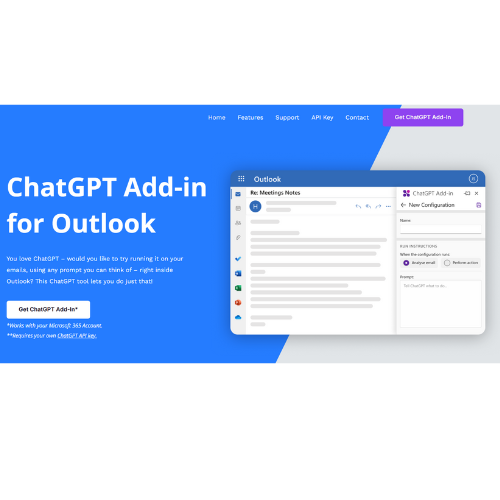
ChatGPT Outlook Plugin: Email summarization and response automation for Outlook. Manage your inbox faster.
Primary Task: ChatGPT for Outlook
Applicable Tasks: ChatGPT, ChatGPT plugin, plugin, Outlook, email
Category: AI Agents & ChatBots
The ChatGPT Outlook Plugin seamlessly brings AI-powered email summarization and response automation to your Outlook client. Ideal for busy professionals, it enables fast, context-aware messaging directly within Outlook. Its customizable prompts help tailor summaries and replies to your specific workflow needs.
After installing the add-in, you can invoke ChatGPT within Outlook to summarize email content or draft intelligent responses based on your tailored prompts. Choose the sections of an email—such as the body, subject, or attachments—to focus processing on what matters most to you.
Output from ChatGPT can either be shown in a new window or replace the email’s body for clear comparison and editing. For efficiency, set up multiple configurations by scenario or team, saving personalized prompt setups for instant reuse.
| Pros | Cons | Plans |
|---|---|---|
| Automates email responses, supports custom prompts, updates priority, highly customizable, integrated with Outlook, multiple team options | Requires a ChatGPT API key, Outlook only, depends on user input, no built-in prompts, extra cost for custom versions | Flexible plans and business subscriptions with custom options available |
Leverage ChatGPT’s AI in Outlook to streamline email management, freeing time for higher-value tasks. Custom prompts and multi-configuration support make it adaptable to any workflow or communication style.
Regularly review and refine your custom prompts to ensure the best email outcomes. Businesses can scale use with white-label or custom rollouts for teams, optimizing collaboration.
If you need multi-platform support or prefer a solution requiring no external API keys, consider exploring other email automation tools better suited to those environments.
Developed by Microsoft Partner Blueberry Consultants, this plugin reflects real-world application and expertise, with features informed by daily business challenges and tested office scenarios.
For full details and the latest updates, Visit ChatGPT Outlook Plugin.

Enjoy ad-free AI chat on the go with Gemini Pro API, ChatGPT 3.5 & 4 API.
Explore Tool