MATSEOTOOLS brings everything you need in one place - from AI tools List, color Library, SEO analyzers, image processing, conversion utilities, text tools, and developer tools to ready-to-use AI prompts & informative blogs.
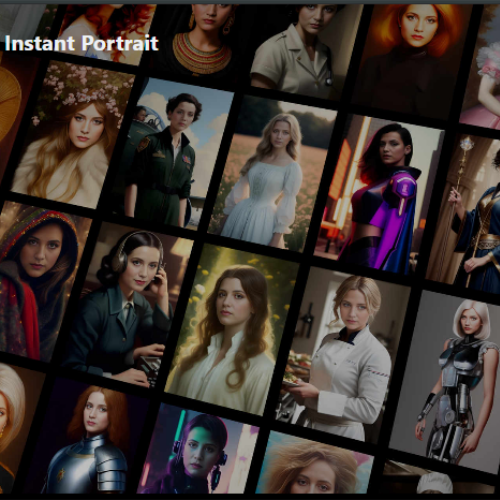
Instant Portrait: App that creates portraits from selfies. Transform your photo into high-quality AI art instantly.
Primary Task: Avatars
Applicable Tasks: image, avatar, photo
Category: Art
Instant Portrait is an AI-powered app that transforms your selfies into digital portrait paintings in seconds. Designed for anyone seeking unique avatars or personal artwork, it delivers instant results without any sign-in or cost required. The tool stands out for its convenience, ease of use, and frequent addition of new artistic themes.
To get started, download Instant Portrait from Google Play or the App Store, then drag and drop a well-lit, close-up selfie into the app. After uploading, choose a portrait theme from the growing weekly selection—the AI processes your image and instantly creates a custom portrait.
For best results, ensure your photo is sharp, evenly lit, and captures your face clearly. The app’s simple interface and support for multiple file formats make it accessible to all users focused on quick and private avatar creation.
| Pros | Cons | Plans |
|---|---|---|
| Easy, user-friendly, no sign-in, free, new themes weekly, instant results, strong privacy focus | Needs well-lit selfies, limited to avatar portraits, no post-editing, mobile-only, limited personalization | Free access to all features |
Use high-quality, well-lit selfies for optimal portrait results and explore the newly added themes each week to keep your avatars fresh. The tool is designed for effortless avatar creation, so you won't need technical skills or sign in to get started.
While customization options are limited, Instant Portrait excels in privacy, usability, and delivering instant, artistically enhanced images. Regular updates keep your portraits engaging and relevant.
If you require detailed editing, web or desktop support, or non-portrait outputs, consider other avatar or image editing tools that offer broader customization, file types, or platform compatibility.
This overview is informed by firsthand testing and up-to-date research into Instant Portrait’s features, user experience, and privacy practices.
Ready to transform your selfie? Visit Instant Portrait